GPU compute across five providers. One provisioning flow.
Provision GPU-backed VMs with pre-validated NVIDIA images across AWS, GCP, Azure, emma, and Nebius — from a single interface. No manual driver installation. No provider-specific tooling. Same governance as every other VM on the platform.


.svg)

Model training
Fine-tune foundation models or train custom models on high-memory GPUs (H200, H100, A100). Pre-validated CUDA images mean your training job starts on first boot — not after a day of driver debugging.
Real-time inference
Deploy inference endpoints on cost-effective GPUs (L40S, L4, T4). Serve predictions in production with governed access, monitoring, and cost attribution from day one.
Batch processing and data pipelines
Run GPU-accelerated ETL, feature engineering, or large-scale data transformations. Spin up GPU VMs for the job, shut them down when it's done. Pay only for what you use.
AI/ML experimentation
Give data science teams self-service access to GPU VMs within governance guardrails. Experiment freely without creating shadow infrastructure or ungoverned cloud spend.
GPU capacity exists across your approved providers. The problem is that provisioning, governing, and observing GPU VMs on each one requires a different workflow, a different console, and a different compliance surface. emma consolidates all of it.
One provisioning flow
Select GPU configuration in the emma VM creation wizard — GUI or API. Same flow across five providers. No per-cloud console navigation or instance taxonomy lookup.
Pre-validated images
VMs launch with NVIDIA driver-optimized, ML/DL-ready OS images. Data scientists get a working environment from first boot — not a driver debugging session.
Governed by default
GPU VMs are governed by the same policy, RBAC, and tagging standards as all other emma resources. No shadow IT GPU usage. No compliance gaps.
Unified cost visibility
GPU spend attributed per team, project, and provider. One cost view regardless of which cloud the GPU VM runs on. No separate billing reconciliation.
Standard VM lifecycle
Create, delete, start, stop. GPU VMs behave like any other emma VM. No separate operational model for GPU infrastructure.
Cross-cloud networking
GPU VMs connect to workloads across providers through emma's networking backbone. Training data on one cloud, inference on another — connected, not cobbled.
Select
Choose GPU type, provider, region, and OS image in the emma VM wizard or via API.
Provision
emma provisions the VM with pre-validated NVIDIA drivers and ML-ready images. No manual setup.
Govern
RBAC, tagging, and policy enforced automatically. GPU VM appears in your unified inventory and cost dashboard.
Operate
Standard lifecycle: start, stop, delete. GPU monitoring integrated. Networking backbone available.
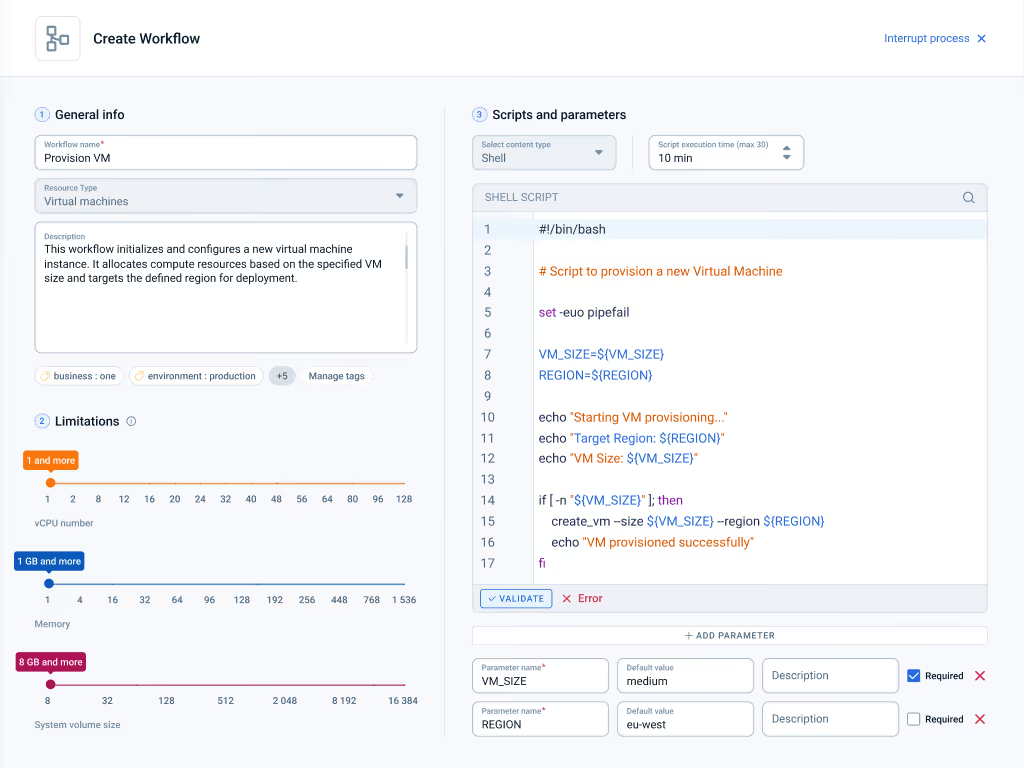
Different workloads have different requirements. emma lets you provision from the provider that fits — without learning five different consoles.
AWS
Broad GPU selection. Global regions. Familiar ecosystem for teams already on AWS.
Google Cloud
Strong ML tooling integration. TPU-adjacent GPU options. Competitive spot pricing.
Azure
Enterprise compliance. Hybrid connectivity. Familiar for Microsoft-stack teams.
emma
EU-native GPU compute. No CLOUD Act exposure. Sovereignty-first for regulated workloads.
Nebius
Purpose-built AI infrastructure. High-density GPU clusters. Competitive pricing for training workloads.
Access the latest NVIDIA and AMD accelerators through emma's unified platform.
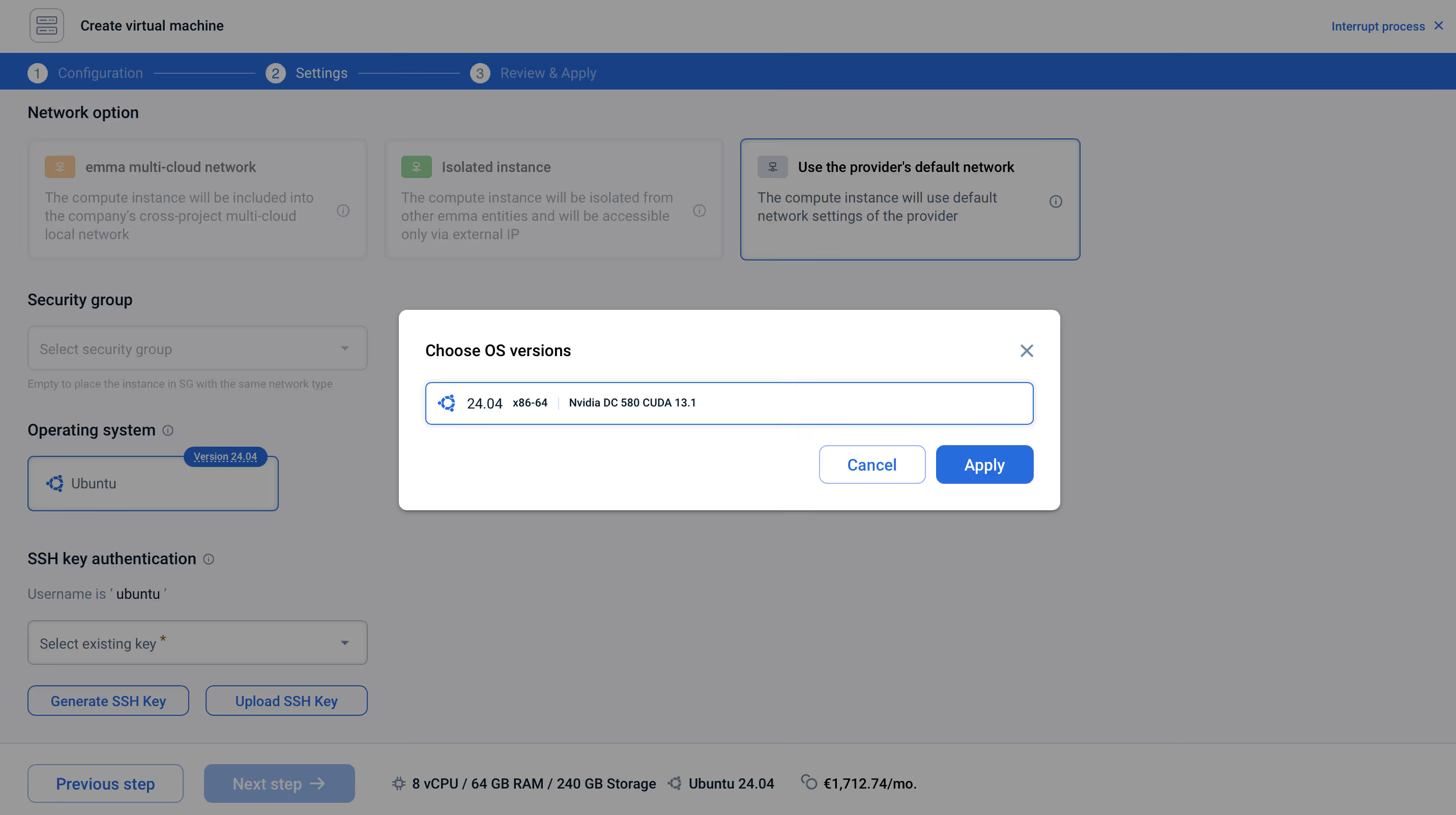
No driver debugging
The most common source of GPU setup failure is driver mismatch. emma's pre-validated OS images ship with the correct NVIDIA drivers, CUDA toolkit, and ML framework dependencies already configured.
- •NVIDIA driver-optimized images per GPU type
- •ML/DL frameworks pre-installed where available
- •Working environment from first boot
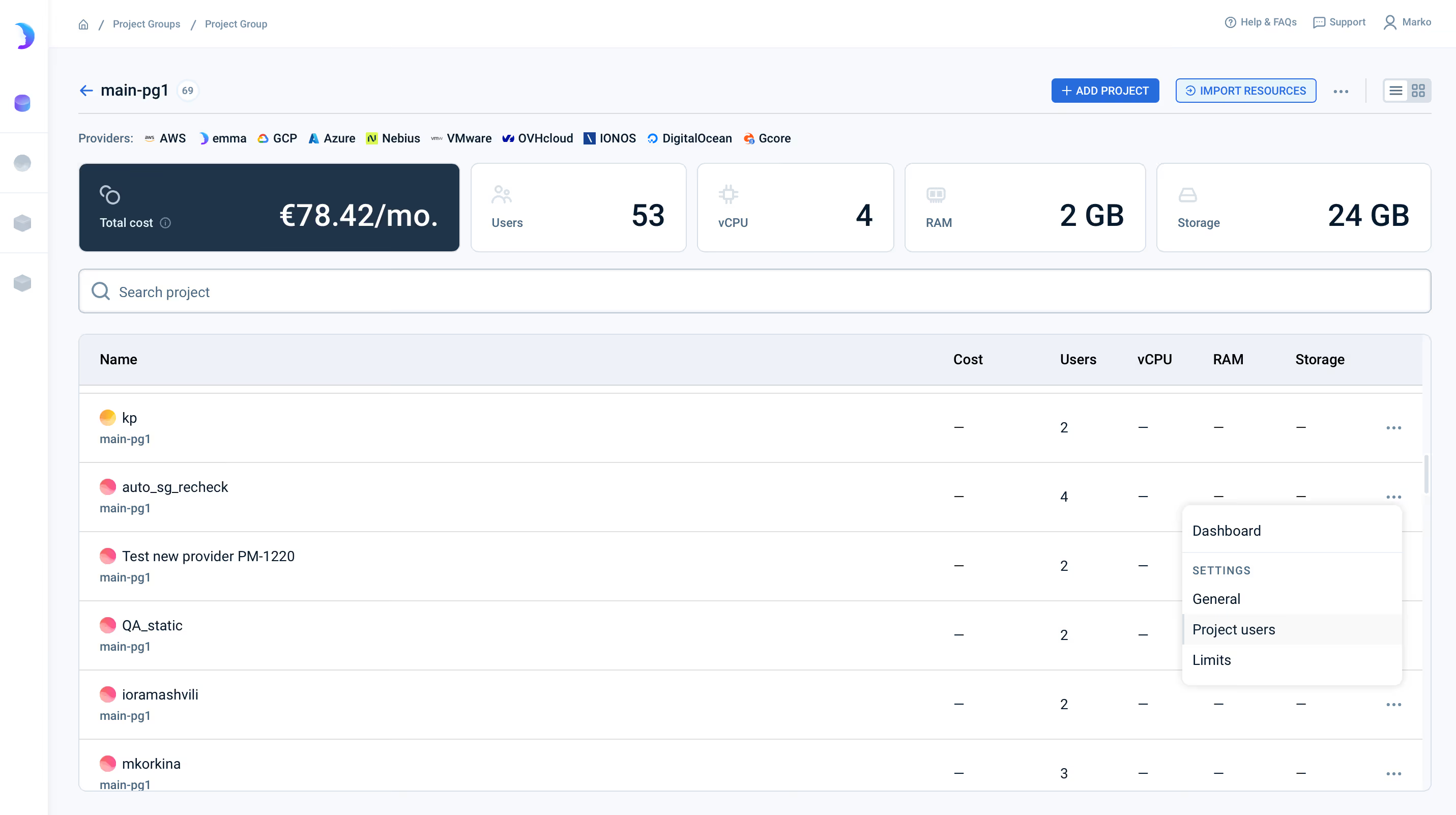
Governance that covers GPU from day one
GPU VMs on emma inherit the same governance model as every other resource. RBAC, tagging policies, project-level cost attribution, and audit trails — applied automatically at provisioning.
- •Same RBAC policies as CPU workloads
- •Tagging enforced at provisioning
- •Audit trail per GPU VM lifecycle event
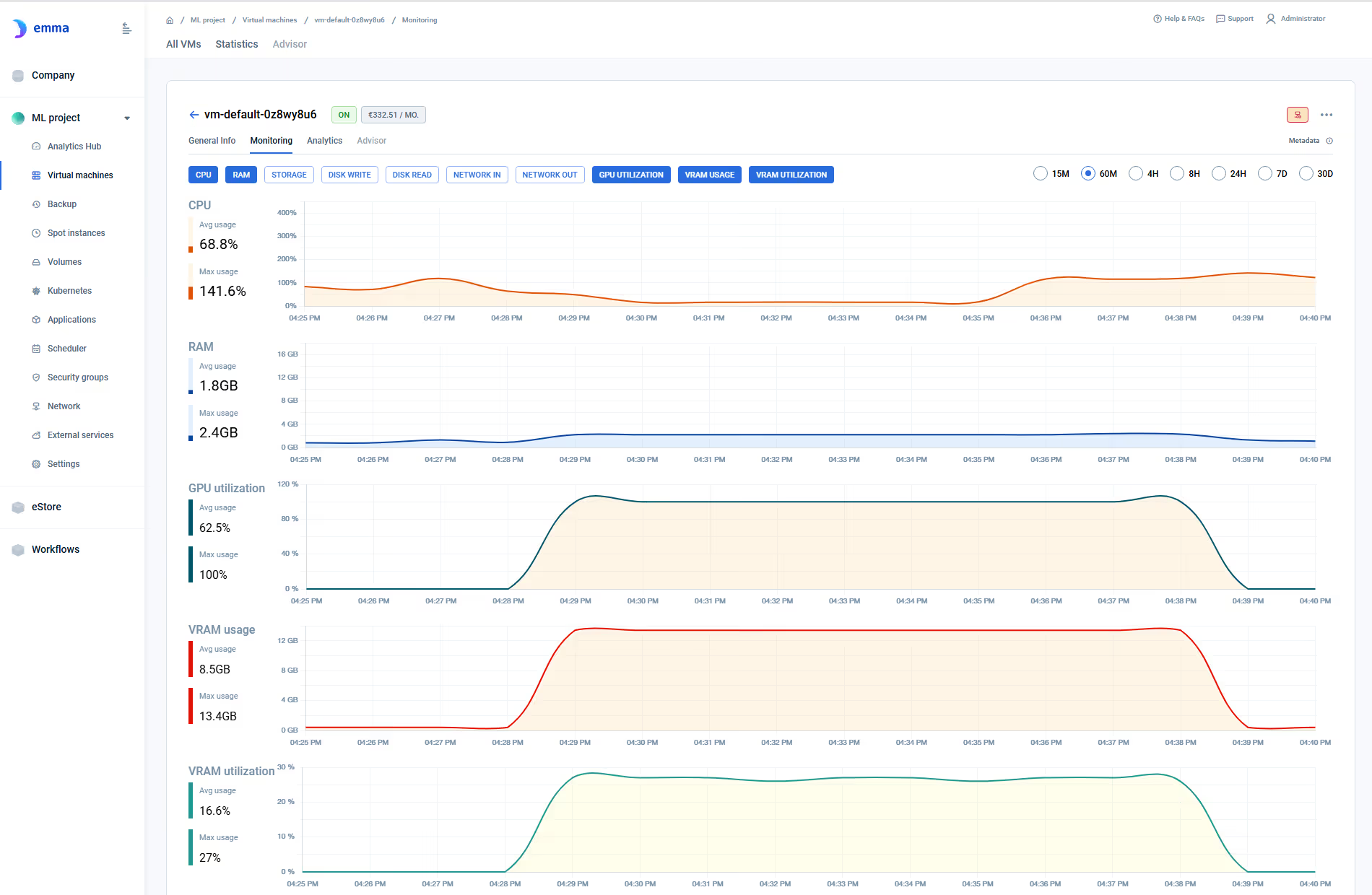
GPU monitoring built in
GPU utilization, vRAM usage, and vRAM utilization — visible in the same monitoring interface as CPU, memory, and network. No agents. No third-party integration.
- •GPU Utilization — active compute percentage
- •vRAM Usage — memory allocated
- •vRAM Utilization — memory subsystem activity
GPU managed Kubernetes
Fully managed GPU K8s clusters across AWS, Azure, and GCP.
GPU monitoring
GPU observability at VM and cluster level. No agents required.
Cross-Cloud Networking
Connect GPU workloads across providers via emma's backbone.
Which GPU should I choose for my workload?
It depends on your model size and task. For training models above 70B parameters, H200 or H100 provide the memory bandwidth you need. A100 is a strong all-rounder for fine-tuning and batch inference. L40S and L4 are cost-effective for inference and rendering workloads. T4 suits lightweight inference at the lowest price point. The GPU catalog on this page shows all available options with pricing.
Can I provision GPU VMs via API?
Yes. GPU VMs can be provisioned through the emma API or the GUI wizard. The same API call works across all five providers — you specify the GPU configuration, provider, region, and OS image. No provider-specific SDKs required.
Do I need to install NVIDIA drivers manually?
No. GPU VMs launch with pre-validated, NVIDIA driver-optimized OS images. CUDA toolkit and ML framework dependencies are pre-configured. Your data scientists get a working environment from first boot.
How does governance work for GPU VMs?
GPU VMs inherit the same governance model as every other emma resource — RBAC, tagging policies, project-level cost attribution, and audit trails. There's no separate compliance surface for GPU infrastructure. If your CPU workloads are governed, your GPU workloads are governed.
Can I connect GPU VMs across different cloud providers?
Yes. GPU VMs connect to workloads across providers through emma's 400 Gbps private networking backbone. Training data on one provider, inference on another — connected architecturally, with reduced egress costs compared to public internet routing.
What monitoring is available for GPU VMs?
GPU utilization, vRAM usage, and vRAM utilization — visible alongside CPU, memory, and network metrics in the same monitoring interface. No agents or third-party integrations required. Learn more about GPU monitoring →
Is GPU VM access self-service?
GPU configurations are enabled upon request via emma technical support. This controlled availability model prevents GPU cost surprises and ensures teams provision what they actually need under governed access.
Should I use GPU VMs or GPU managed Kubernetes?
GPU VMs give you full control over the compute environment — ideal for training runs, experimentation, and workloads where you manage the full stack. GPU managed Kubernetes (mk8s) is better for containerized workloads that need orchestration, scaling, and cluster-level management. Both are governed by the same platform. Explore GPU managed Kubernetes →
See GPU VM provisioning across five providers from a single control plane.
45-minute demo. GPU provisioning, governance, and monitoring — live, from the platform.
Get a demo →